Prototype
Prototype
The prototype is an object that is associated with every functions and objects by default in JavaScript.
Whenever we create a function , object or array javacript by default attaches a prototype object to it which contains some additional methods inside it.
Prototype
-
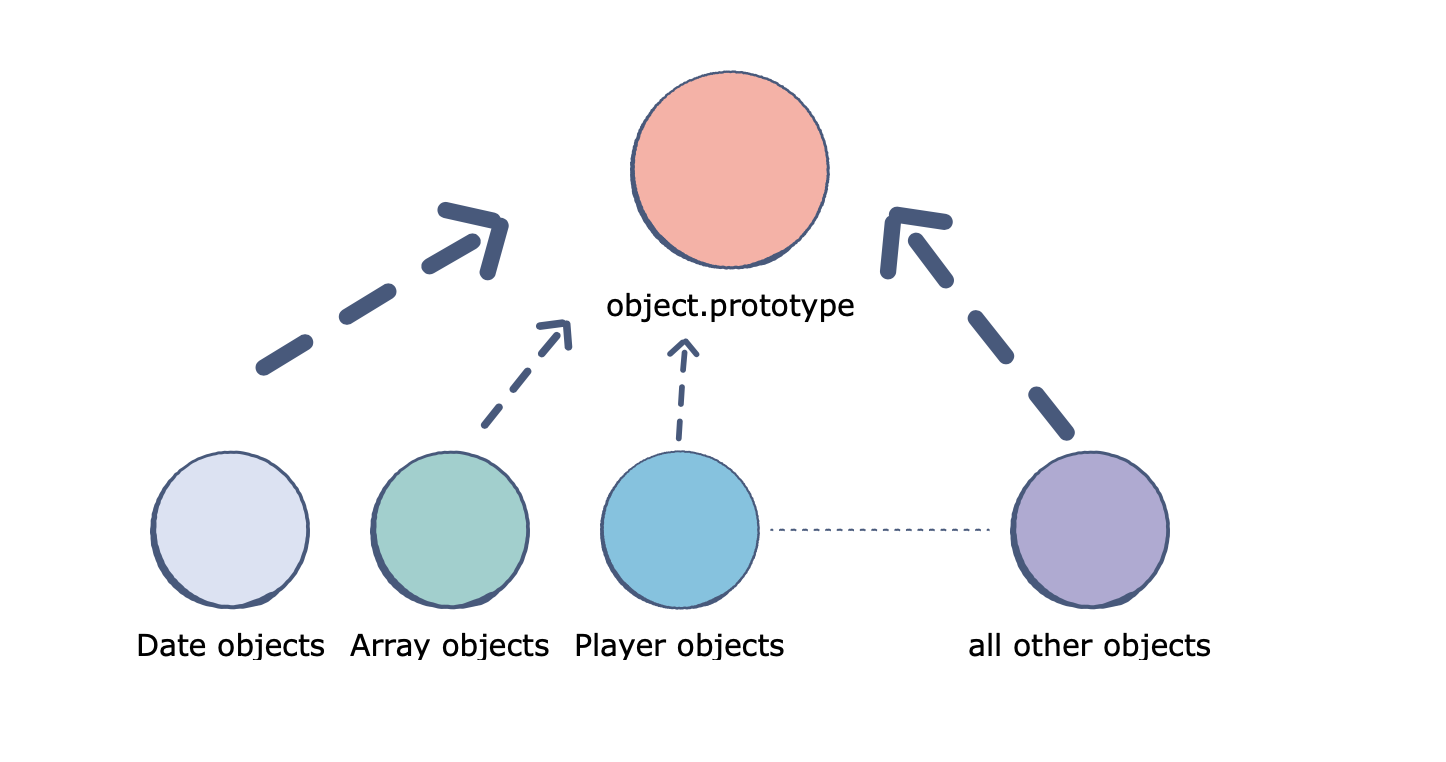
Date objects inherit from Date.prototype.
-
Array objects inherit from Array.prototype.
-
Player objects inherit from Player.prototype.
-
The Object.prototype is on top of the prototype inheritance chain. Date objects, Array objects, and Player objects all inherit from Object.prototype.
The Prototype Chain
Prototypal inheritance uses the concept of prototype chaining.
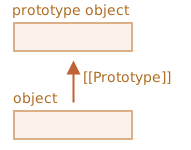
Every object created contains [[Prototype]], which points either to another object or null.
Example:- An object C with a [[Prototype]] property that points to object B. Object B’s [[Prototype]] property points to prototype object A. This continues onward, forming a kind of chain called the prototype chain.
Prototypal Inheritance
let animal = {
  eats: true
   walk() {
    console.log("Animal walk");
  }
};

let rabbit = {
  jumps: true
  __proto__ = animal;
};


// we can find both properties in rabbit now:
console.log(rabbit.eats ); // true

rabbit.walk(); // Animal walk
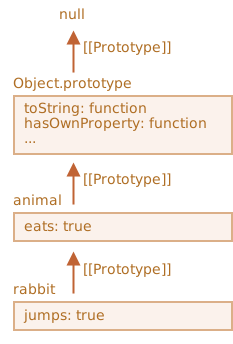
Prototype
const obj = {
  firstName: "sds",
  lastName: "bh",
  getFullName: function () {
    return this.firstName + " " + this.lastName;
  }
};

const obj2 = {
  firstName: "ab",
  __proto__: obj
};

console.log(obj2.getFullName()); //ab bh
Creating own prototype
Creating Ployfill for bind method
const obj = {
  firstName: "sds",
  lastName: "bh"
};

function getFullName(state) {
  return this.firstName + " " + this.lastName + " " + state;
}

const fName = getFullName.bind(obj, "rnc");
console.log(fName()); //sds bh rnc

Function.prototype.myBind = function (...args) {
  const func = this;
  const params = args.slice(1);
  return function () {
    return func.apply(args[0], params);
  };
};

const fName2 = getFullName.myBind(obj, "bsh");
console.log(fName2()); //sds bh bsh
Creating Ployfill for Call, Apply and Bind method
const obj = {
  firstName: "sds",
  lastName: "bh"
};

function getFullName(state) {
  return this.firstName + " " + this.lastName + " " + state;
}

Function.prototype.myBind = function (obj, ...args) {
  obj.func = this;
  return () => {
    return obj.func(...args);
  };
};

Function.prototype.myCall = function (obj, ...args) {
  obj.func = this;
  return obj.func(...args);
};

Function.prototype.myApply = function (obj, args) {
  obj.func = this;
  return obj.func(...args);
};

const fName2 = getFullName.myBind(obj, "bsh");
console.log(fName2()); //sds bh bsh

console.log(getFullName.myCall(obj, "kkr"));  //sds bh kkr

console.log(getFullName.myApply(obj, ["kkr"]));  //sds bh kkr